Your bank
2,900+ supported

Raycast
Launcher extension
Your bank accounts in Raycast
Find a payment, check a balance or see where the week went, a few keystrokes from wherever you are. Read-only, for the accounts you choose, on macOS and Windows.
In Raycast
Your finances, a few keystrokes away.
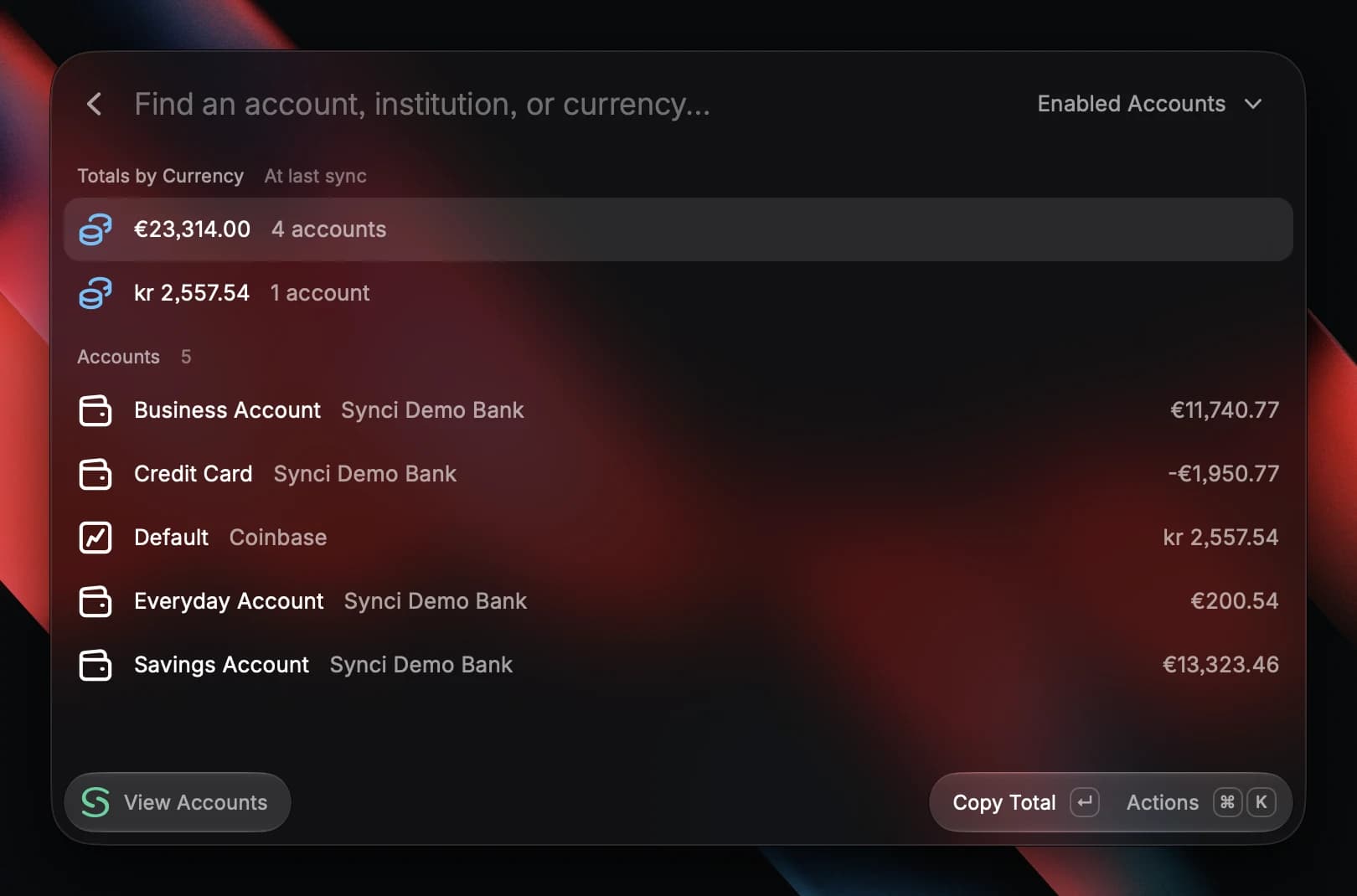
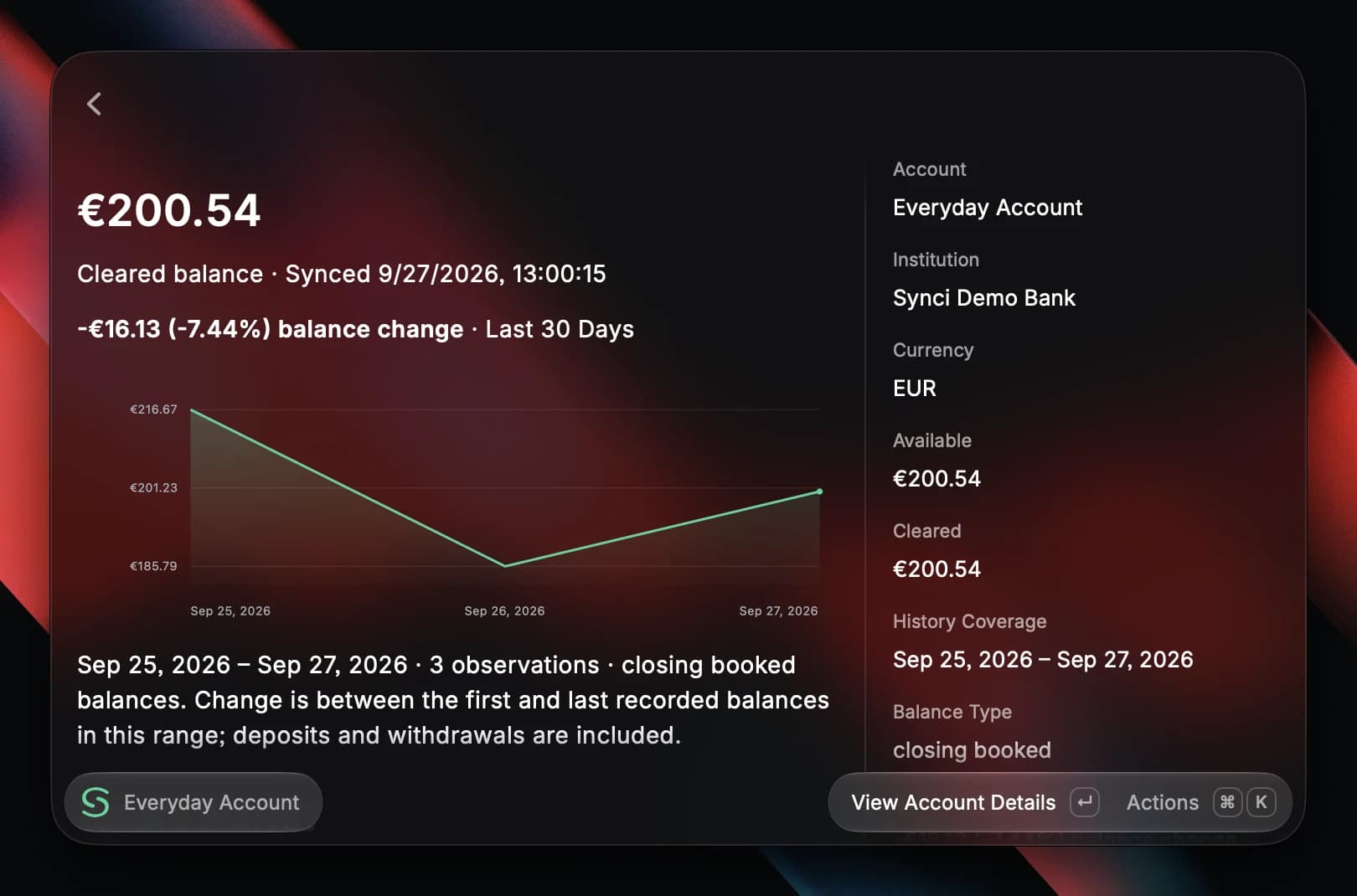
Three of the extension's views, shown on a demo account. Filters, copy actions and a details sidebar are each one shortcut away.
RaycastSearch TransactionsDemo data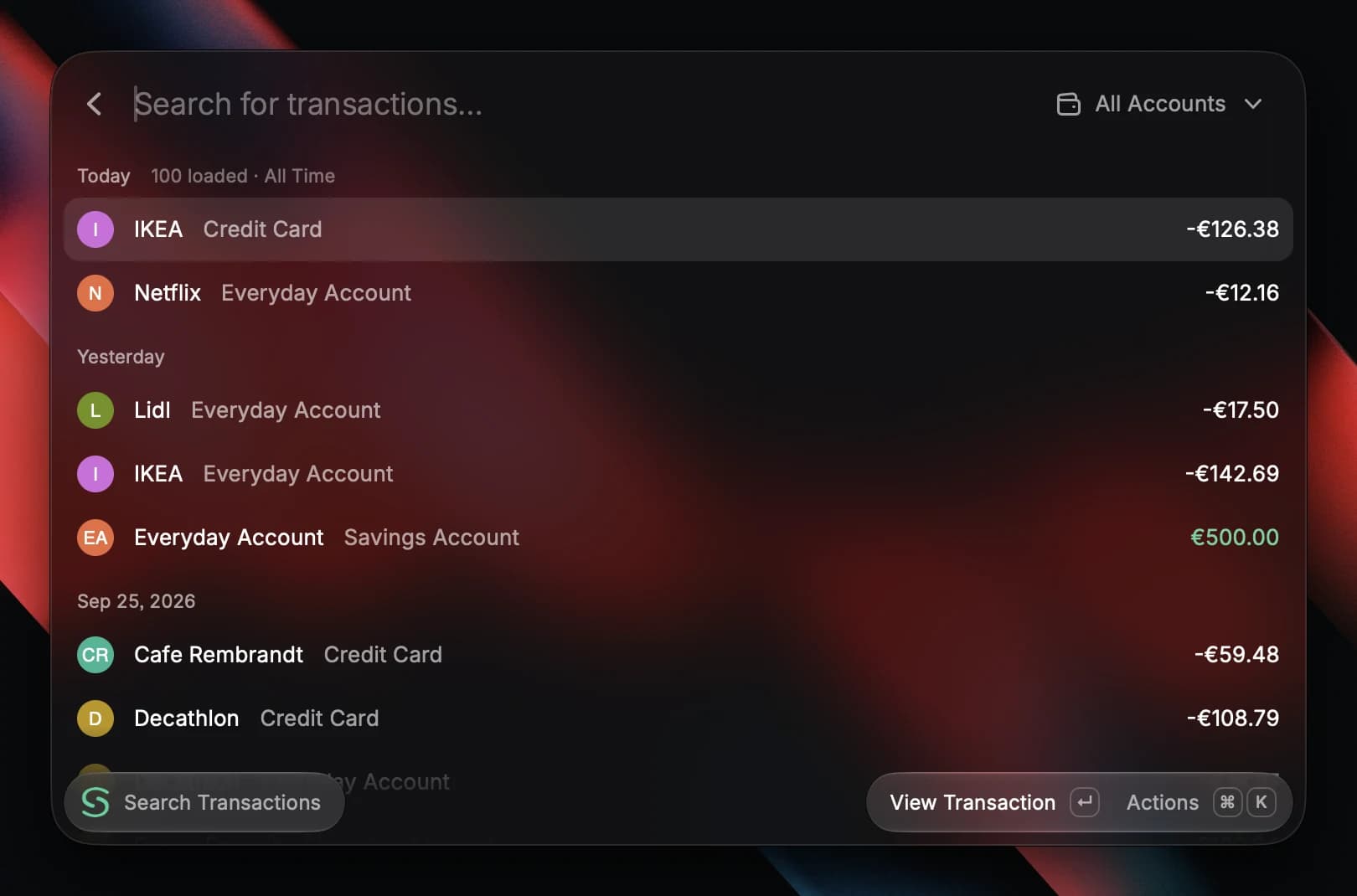
Why Synci
Is there a Raycast extension for your bank account?
There is now, and it reads from Synci. Raycast has no way to log in to a bank, so the extension talks to your Synci account: link your bank once through its own regulated open-banking login, sign in from Raycast, and the accounts you shared are a hotkey away.
It covers the quick checks you would otherwise open a banking app for: whether a payment went through, what is left on the card, how much went on groceries this week. Banks, brokerages and crypto exchanges sit side by side, so one search covers every account you shared. Find your bank below.
Features
Raycast
- Sign in with Synci, with no API keys or OAuth app to set up
- Search payments by payee, description or exact amount
- Balance history per account, from 7 days to all time
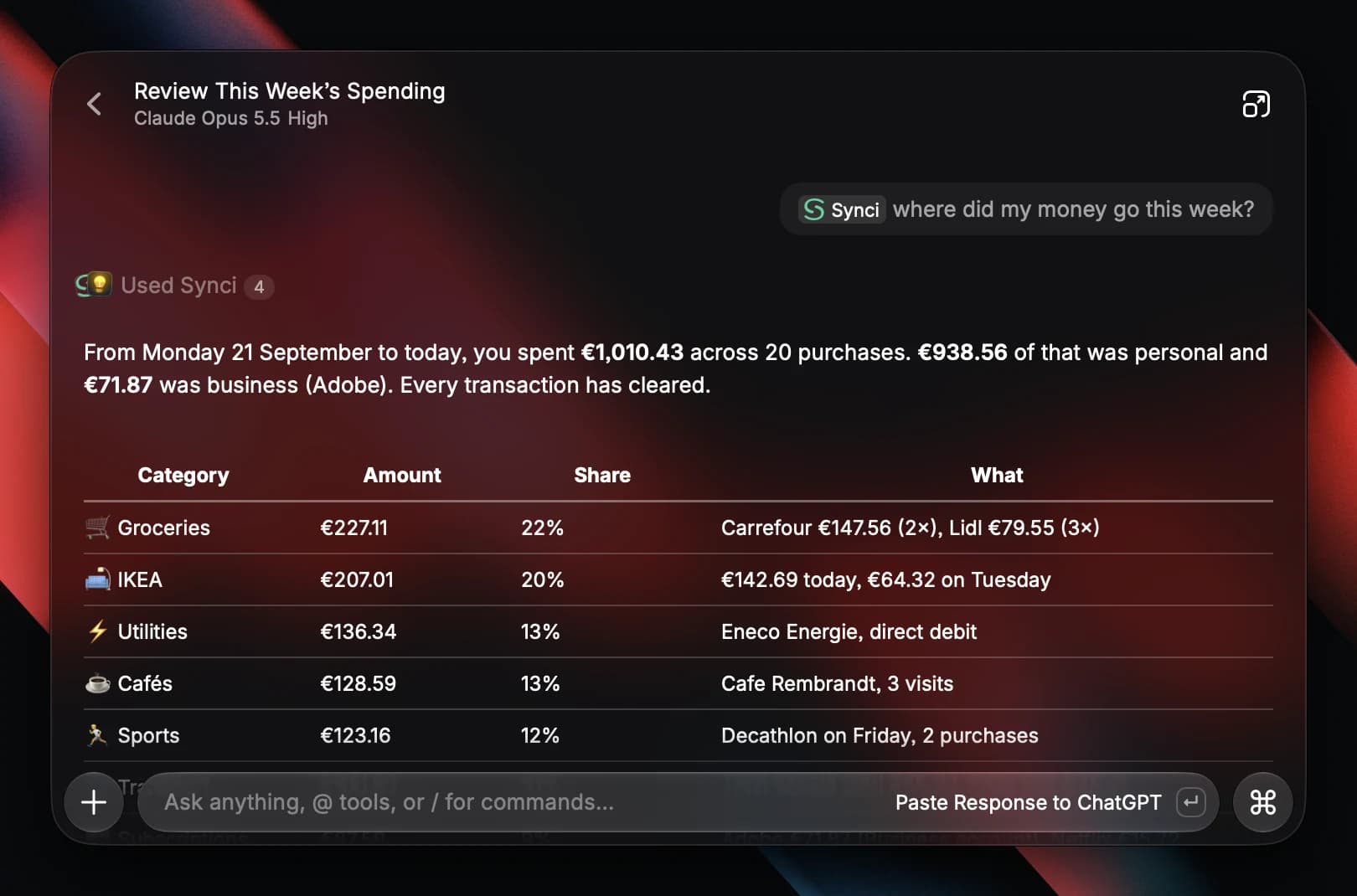
- Recent spending by merchant or category, with a daily chart
- Investment and crypto positions with quantities, prices and market values
- An optional balance in the macOS menu bar, refreshed every 15 minutes
Raycast AI
Or just ask.
Open Ask Synci, or mention @Synci in any AI Chat, and ask in your own words. Raycast AI answers from the accounts you shared, through five read-only tools backed by Synci's MCP server.
- @SynciHow much did I spend at this merchant last month?
- @SynciWhat is my account balance, and when was it last updated?
- @SynciShow my investment and crypto holdings.
- @SynciWhich connections need attention?
Ask Synci needs Raycast Pro and an active Synci subscription. The data behind each answer is sent to Raycast AI and may stay in your chat history, under Raycast's AI privacy settings. None of the other commands use Raycast AI.
Your data, your choice
Read-only
The extension cannot make payments, place trades or edit your records, and it sees only the accounts you shared. Sign out from the action menu at any time.
Nothing cached
Financial records are never cached on your machine. CSV exports land in Downloads only when you ask for one, and full bank identifiers load only when you open account details.
No analytics
The extension adds no tracking of its own. Error reports you copy leave out credentials, account identifiers and financial records.
Setup
Setting up the extension
Every command except Ask Synci works on Raycast's free plan.
Connect your accounts
Link your banks in Synci through each bank's own login. Synci never sees or stores your credentials.
Install the extension
Open Synci in the Raycast Store and choose Install Extension.
Sign in with Synci
Run any Synci command and choose Sign in with Synci. There are no keys to paste.
Pick what Raycast sees
Choose the accounts to share and start searching. Run Reconnect Synci later to change the list.
Pricing
Pay per connection.
Pick the plan that matches how often you want fresh data and how far back you need to look. All plans include a 14-day free trial.
Basic
Our entry pay-per-connection plan. Perfect for people with simple needs.
connections
€2.00/month
€23.99 billed yearly
14 days free, cancel anytime.
Includes:
- Unlimited accounts
- Unlimited destinations
- 2 rules per connection
- Bank sync every 6 hours
- 60-day data retention
- Not included:Priority support
AI assistants:
- 60 days of history for your AI assistant
- Not included:Merchant identification
- Not included:Transaction categorization
Pro
Depth for your AI assistants and budgeting tools: enrichment, up to two years of history & fast sync.
connections
€4.33/month
€51.99 billed yearly
14 days free, cancel anytime.
Includes:
- Unlimited accounts
- Unlimited destinations
- Unlimited rules
- Bank sync every 2 hours
- 730-day data retention
- Priority support
AI assistants:
- Up to 2 years of history for your AI assistant
- Merchant identification
- Transaction categorization
Business
Unlimited pay-as-you-go plan tailored to developers and businesses.
connections
Usage-based pricing
Bespoke agreement.
Includes:
- Unlimited accounts
- Unlimited destinations
- Unlimited rules
- Bank sync every 2 hours
- 730-day data retention
- Priority support
AI assistants:
- Up to 2 years of history for your AI assistant
- Merchant identification
- Transaction categorization
FAQ
Common questions
Yes. Synci's extension is in the Raycast Store. It reads the accounts you have connected to Synci, so it works with any bank Synci supports in Europe and New Zealand, plus the brokerages and exchanges you have linked.
Yes. Every command runs on macOS and Windows, with each platform's own shortcuts (⌘ K or Ctrl K for actions). The menu bar balance is the one part that is macOS only.
Only for Ask Synci, which runs on Raycast AI and also needs an active Synci subscription. Searching transactions, viewing accounts, holdings and spending, and checking connections all work on Raycast's free plan.
No. Access is read-only: it cannot make payments, place trades or change your records. It reads only the accounts you picked when you signed in, and Reconnect Synci changes that list whenever you like.
No financial records are cached locally. The extension keeps display preferences, such as whether a sidebar is open, and your menu bar account selection. CSV files are written to Downloads only when you export one.
As current as Synci's last sync with your bank, which runs every hour to every 6 hours depending on your plan. Each account overview shows when its balance was synced, and the menu bar refreshes every 15 minutes with Background Refresh turned on.
The data needed to answer your question goes to Raycast AI and may remain in your chat history, under Raycast's AI privacy settings. The other commands never involve Raycast AI.
No. Synci connects through regulated Open Banking APIs and you authenticate in your bank's own login flow. Neither Synci nor Raycast ever sees your credentials.
More destinations
Send the same data further.
One Synci connection can feed several destinations at once, from an AI assistant to your own backend.



We are not affiliated with, associated with, or endorsed by Raycast. Raycast and related names and marks are trademarks of their owner. The Synci extension is built and maintained by Synci and distributed through the Raycast Store at https://www.raycast.com.