Build on Synci.
A REST API for financial data: accounts, balances, transactions, and holdings across banks and brokerages. Personal tokens for scripts, OAuth for apps, MCP for AI assistants, and Managed apps for users without a Synci account.
GET /api/v1/finance/transactions

{
  "id": 84712,
  "amount": "-54.90",
  "currency": "NOK",
  "booking_date": "2026-07-17",
  "mapped_fields": {
    "date": "2026-07-17",
    "payee": "Starbucks",
    "description": "CARD 17.07 STARBUCKS OSLO"
  },
  "enriched": {
    "counterparty": {
      "name": "Starbucks",
      "logo_url": "https://…/starbucks.png",
      "website": "starbucks.com"
    },
    "category_general": "Dining"
  }
}
Managed apps
Financial data for your users, three calls away.
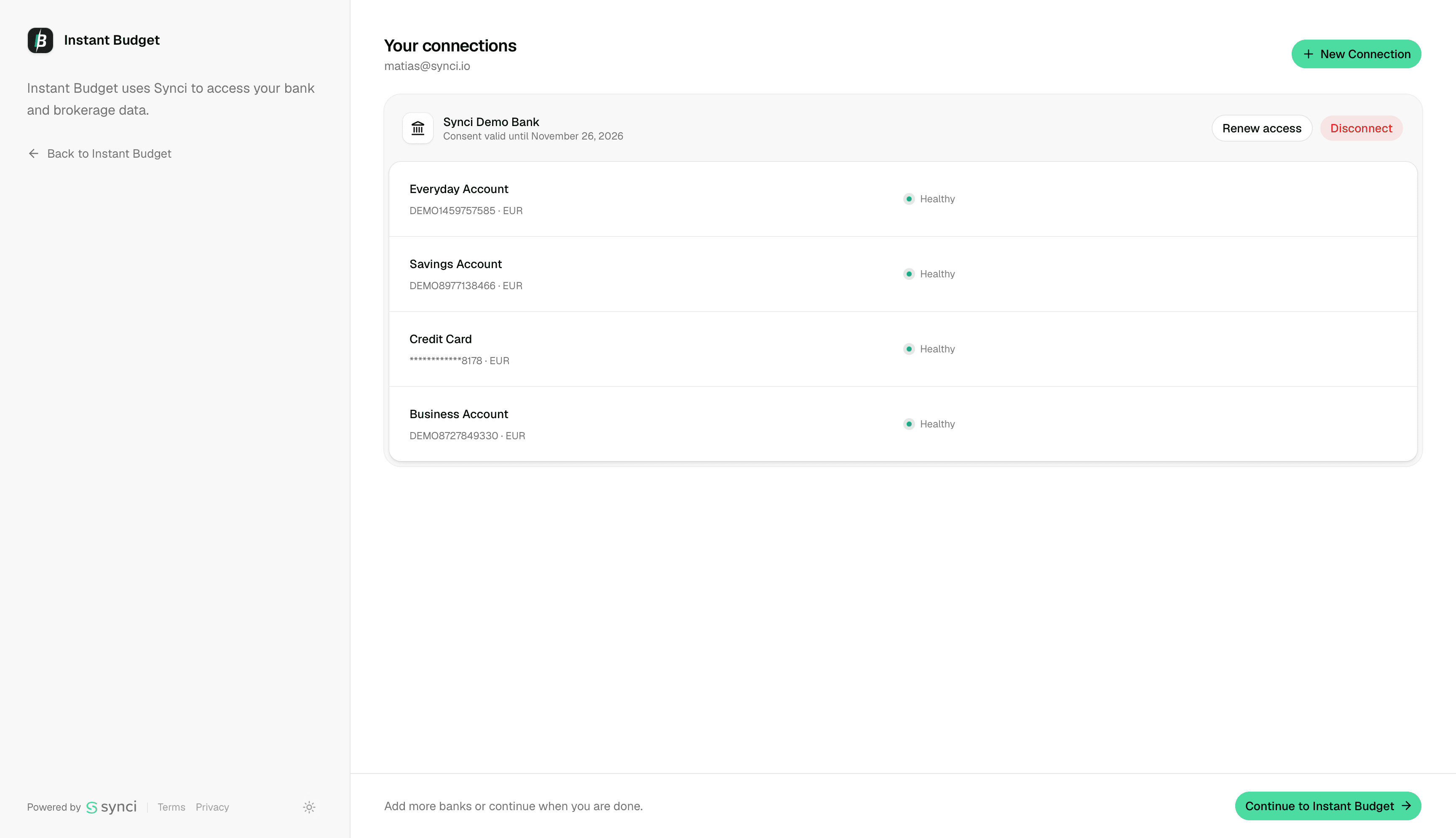
Managed apps are the fastest way to put financial connections inside your product. Register your users from your backend, hand them a link to the hosted portal, and their banks, brokerages, and crypto exchanges flow straight into your app. They never create a Synci account; your product stays front and center, and Synci does the plumbing.
POST /managed/v1/users

{
  "email": "ada@example.com",
  "external_user_id": "usr_8412"
}

# 201 Created

{
  "data": {
    "user_id": "9f1c2e64-1f3a-4c77-9b21-8a4c5d6e7f80",
    "access_token": "eyJhbGciOiJSUzI1NiIs…",
    "refresh_token": "def50200a1b4…",
    "expires_in": 3600
  }
}
The portal is the only Synci-hosted page in the flow. Your user arrives pre-authenticated, connects their accounts, and lands right back in your product.
One integration, many regions
2,931 banks across 34 countries through GoCardless, and 31 brokerages and crypto exchanges through SnapTrade. Adding a region your users need is a setting on your app, not another integration.
Build the whole thing for free
Four demo banks ship with every app: one that works, one that rejects credentials, one that is down, and one whose consent is about to expire. They cost nothing and consume no quota, so you can test the failure paths on purpose. Trials add 5 test users and 2 live connections.
Billing without a spreadsheet
You pay per connection on your own Basic or Pro plan, from the same pool as your personal connections, up to 200 self-serve. No usage metering, no separate developer invoice.
Re-consent, handled
Bank consents lapse every 90 to 180 days under PSD2. By default, Synci emails your user, names your app, and links them into the portal to reconnect. Switch it off if you would rather own that conversation.
Tokens scoped to one person
Each token reads one user's data and nothing else. Access tokens last 1 hour, refresh tokens 30 days, and any single user's access can be revoked without touching the rest.
Redacted by default
IBANs, card numbers, and account-holder names are stripped from responses unless your app holds the sensitive:read scope. Fetched data is retained for the window your plan allows, configurable per app.
Use cases
What you can build.
Budgeting apps
Build the budgeting app you wish existed
Your users connect their banks and brokerages through the hosted portal, no Synci account needed, and clean, enriched transactions flow straight into your product.
Dashboards
Your finances, one screen
Pull transactions and balances into Grafana, Metabase, or a dashboard you built yourself.
Automations
Your accounts, scriptable
Script against your accounts and holdings, or let webhook events trigger the rest of your toolchain.
AI agents
Assistants that know the numbers
Connect the MCP server to Claude or ChatGPT, or call the API directly from your agent framework.
App types
Two app types. Pick by who your users are.
Standard app
The classic OAuth 2.0 + PKCE flow. Your users sign in with their own Synci account, review the scopes you request, and pick exactly which accounts to share. Standard apps can request the full API surface, including rules, destinations, transfer links, and webhooks, and each user pays for their own connections.
OAuth documentationManaged app
You register users from your backend and they connect their banks, brokerages, and exchanges through the hosted portal, with no Synci account and no Synci bill. Tokens are limited to financial data scopes, and the connections come out of your own plan.
Managed apps documentationGetting started
From connection to data in six calls.
Connect an institution, trigger a sync, and read everything back. Every step below is one real request. The full reference, with in-browser testing, lives in the docs.
POST /api/v1/finance/connections

{
  "institution_id": 123
}

# 201 Created

{
  "data": {
    "auth_url": "https://ob.bank.example/authorize?…",
    "financial_connection": {
      "id": 456,
      "status": "PENDING_AUTHORIZATION"
    }
  }
}
FAQ
Common questions
A personal access token when you are accessing your own account: scripts, dashboards, server-to-server integrations. A Standard OAuth app when other people will connect their existing Synci accounts to your product. A Managed app when your users do not have Synci accounts: you register them from your backend, they connect their accounts through the hosted portal, and you pay for their connections.
OAuth access tokens are valid for one hour. Refresh tokens are valid for 30 days and rotate on every use. Personal access tokens are managed from your dashboard, where you can revoke them at any time.
Everything the dashboard does: financial connections, accounts, balances, transactions, holdings, transfer links, rules, destinations, and webhooks. Granular scopes like accounts:read and transactions:write let you request only what you need. The exception is Managed apps, whose tokens are limited to financial data scopes: profile, accounts, transactions, and financial connections.
You pay only when a user actually connects an institution. Connections are priced through your own Basic or Pro subscription and share a pool with your personal connections, up to 200 self-serve. Beyond 200 is a conversation, not a wall.
Yes, all of it. Four demo banks cost nothing and consume no quota: one works, one rejects credentials, one is down, and one has a consent about to expire, so you can test the failure paths too. Trials also include 5 test users and 2 live connections.
Bank consents lapse every 90 to 180 days. By default Synci emails the user, names your app, and links them into the portal to reconnect. Prefer to own that flow? Switch the emails off and poll GET /managed/v1/connections?expiring_within_days=14. There are webhooks for transaction, balance, holdings, and account data, but not yet for connection events.
Yes. Limits are documented in the API docs, and every response includes headers telling you where you stand.
New apps start in testing mode, where you can iterate freely against real data with a small cap on users. When you are ready, submit for review with your developer name, homepage, and privacy policy; Managed apps also need an active plan to go live. Once approved, the caps lift, and requesting minimal scopes improves your chances.
Start with the docs and the help center. For anything else, ask on r/Synci or the feedback board.